Introduction: You’re Using AI Every Day You Just Don’t Know It
Think you’re not part of the AI revolution? Think again.Error! Hyperlink reference not valid.
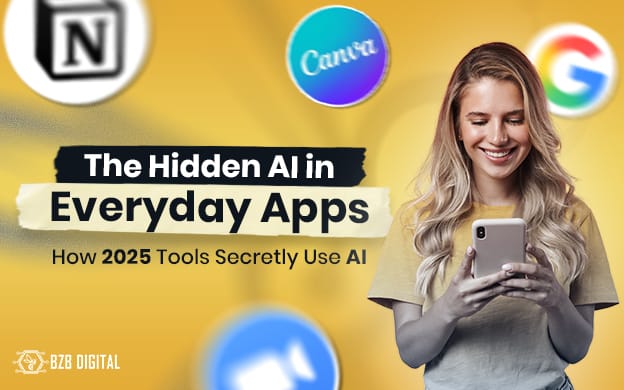
If you use Google Docs, Zoom, Notion, or Canva congratulations, you’re already using AI daily.
In 2025, artificial intelligence isn’t just in futuristic chatbots or advanced analytics tools. It’s quietly woven into the digital fabric of your favorite everyday apps. From writing your emails to scheduling your calls and designing your next presentation, AI is working silently in the background saving you hours without you even realizing it.
At BZB Digital, we’ve seen how uncovering these “hidden” AI features can drastically boost productivity, streamline content creation, and transform marketing strategies.
What Exactly Is “Hidden AI”?
“Hidden AI” refers to artificial intelligence that operates behind the scenes features that are integrated into existing apps rather than being marketed as separate AI tools.
Unlike standalone apps like ChatGPT or Midjourney, these AI features don’t scream for attention. They’re built right into the interfaces we use daily predicting your next sentence, correcting your grammar, generating summaries, or even choosing your design layouts automatically.
Example:
When Google Docs suggests a sentence as you type or when Zoom creates an instant meeting summary that’s AI in disguise.
These small automations save countless micro-moments throughout the day, freeing up time for deeper creative or strategic thinking.
Real Examples: Where AI Is Hiding in Your Everyday Tools
Here are some apps where AI quietly powers your workflow and how they’re making your life easier:
🧠 Google Docs: Writing Assistant Turned Creative Partner
Google’s “Help Me Write” feature uses natural language AI to draft, summarize, or rephrase text.
You can simply type /help me write and watch your document evolve instantly.
At BZB, our content team uses it to turn raw outlines into polished drafts cutting writing time by nearly 40%.
🎥 Zoom: Your Meeting Notes, Done Automatically
Zoom’s AI Companion now generates meeting summaries, identifies key decisions, and even drafts follow-up emails.
For project managers, this means no more scrambling to capture notes everything is recorded, structured, and ready to share post-meeting.
A real-life example: During a recent client strategy session, Zoom AI summarized 40 minutes of discussion into five actionable points in seconds.
otsuite Insights, and Zapier AI Flows are making this process seamless for businesses of every size.
📘 Notion AI: The All-in-One Workspace Supercharged
Notion AI helps teams summarize meeting notes, brainstorm ideas, or even turn tasks into publishable blog drafts.
At BZB, our creative team uses Notion AI to summarize IT reports into content ideas transforming technical documents into easy-to-read stories for our audience..
🎨 Canva Magic Studio: Design Smarter, Not Harder
Canva’s “Magic Studio” suite now includes Magic Write, Magic Eraser, and AI Video Generator all driven by machine learning.
These tools help marketers instantly design visuals, remove image backgrounds, or generate ad mockups based on text prompts.
Imagine typing: “Create a clean tech banner for a cybersecurity company.” Canva does the rest colors, layout, fonts everything.
💬 Grammarly: Your AI Language Coach
Grammarly’s latest update goes beyond grammar. Its new AI Agents analyze tone, clarity, and audience response and even suggest the best publishing time for engagement.
This is especially useful for social media campaigns, helping us adapt tone for professional vs. casual audiences in seconds.
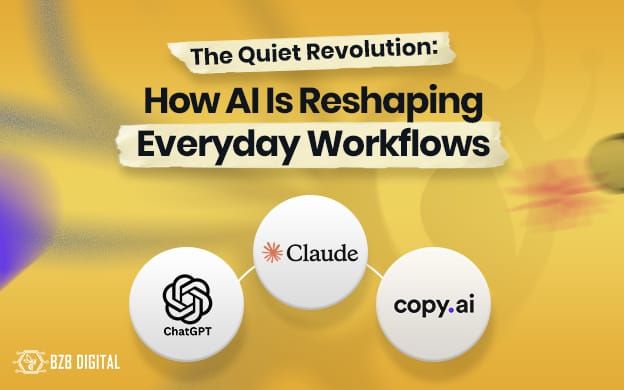
🔗 Further Reading: The Quiet Revolution: How AI Is Reshaping Everyday Workflow Read here :
https://bzbdigital.com/bzb-blog/the-quiet-revolution-how-ai-is-reshaping-everyday-workflows/
Why It Matters: The New Face of Productivity
Hidden AI is transforming work in subtle but powerful ways:
- Less repetition: It automates everyday tasks note-taking, summarizing, formatting.
- Better creativity: AI tools help spark ideas instead of replacing human creativity.
- Faster collaboration: Teams can co-create content in real-time without wasting time editing.
- Data-driven insights: AI quietly optimizes workflows, layouts, and even ad performance based on user patterns.
New & Upcoming Tools to Try in 2025
AI integration isn’t slowing down it’s accelerating.
Here are some of the latest arrivals worth exploring:
- Google Gemini “Gems” – customizable chatbots inside Google Workspace apps like Gmail and Sheets.
- Zoom AI Companion 3.0 – real-time translation, avatars, and meeting recaps integrated with Teams & Meet.
- Canva’s Mixboard – an AI moodboard generator for brand storytelling.
- Otter.ai 2025 Update– AI-powered speaker identification & multi-language summaries.
These tools aren’t just add-ons they’re becoming core productivity partners for marketing, IT, and business professionals.

How to Unlock Hidden AI in Your Tools
If you’ve been using these platforms for years, here’s how to find and activate their AI features:
- Go to Settings → Labs / AI / Smart Features in your app.
- Enable auto-suggestions, summaries, and smart content tools.
- Try using AI prompts like “Summarize this,” “Generate ideas,” or “Make it professional.”
- Train your team host quick 15-minute sessions to explore one hidden AI feature per week.
- Always review data privacy and disable tools that store sensitive client data.
Small, consistent adoption is key start with one feature and expand gradually.
Final Thoughts: AI Is Already Here Use It Wisely
AI isn’t just the future it’s already woven into your workday.
The smartest professionals of 2025 aren’t the ones using the most tools they’re the ones getting the most out of the tools they already have.
So next time you open Google Docs, Zoom, or Canva remember, you’re already part of the AI revolution.
👉 What about you? Which hidden AI feature surprised you most?
🧩 FAQs About Hidden AI Tools
No — AI is here to enhance productivity, not replace creativity. Think of it as an intelligent assistant that handles the boring parts.
Most apps offer basic AI features for free. For example, Notion AI gives free credits, Canva includes Magic Write in its Pro plan, and Zoom AI Companion is available on paid tiers.
Always check your app’s privacy settings. Platforms like Google Workspace and Zoom have strict enterprise-grade security and transparency dashboards.
If it “suggests,” “summarizes,” or “auto-generates” something AI is behind it. Look for keywords like “Smart,” “Magic,” or “Assistant” in settings.